
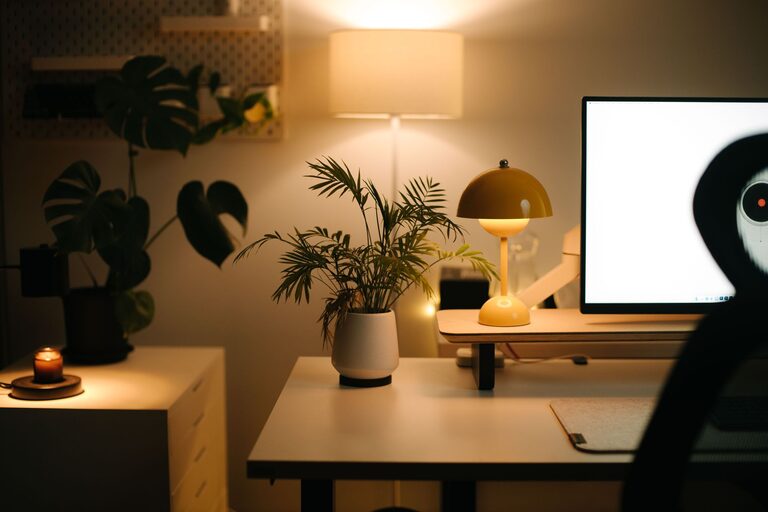
Creating a cozy and productive home workspace is essential for anyone working remotely or simply needing a dedicated area for focused tasks. A well-designed workspace can improve concentration, reduce stress, and increase your overall efficiency. Whether you have a small corner or an entire room to dedicate, these tips will help you create an environment that supports both comfort and productivity.
1. Choose the Right Location
Consider Natural Light
Whenever possible, set up your workspace near a window to take advantage of natural light. Sunlight not only brightens the room but also boosts mood and alertness. Avoid placing your desk where glare hits your computer screen, but aim for balanced lighting.
Minimize Distractions
Select a quiet spot that is less likely to be interrupted by household noise or foot traffic. If a separate room isn’t an option, use partitions or room dividers to create a sense of separation.
2. Invest in Comfortable Furniture
Ergonomic Chair
Your chair is one of the most important investments. Choose an ergonomic chair that supports your back and encourages good posture. Being comfortable helps reduce fatigue and the risk of posture-related problems.
Desk Size and Height
Pick a desk that fits your space but is large enough to accommodate your computer, notebooks, and other supplies. The height should allow your forearms to rest comfortably parallel to the floor.
Add a Footrest
If your feet don’t touch the ground easily, consider a footrest to improve circulation and posture.
3. Organize for Efficiency
Declutter Your Space
Keep only essential items on your desk. A clean area reduces distractions and helps keep your mind clear.
Use Storage Solutions
Shelves, drawers, and filing cabinets can store documents, tools, and equipment neatly. Labeling containers and folders makes it easier to find what you need quickly.
Cable Management
Tangled cables can look messy and cause frustration. Use clips, sleeves, or hooks to keep cords organized and out of sight.
4. Personalize Your Workspace
Add Plants
Indoor plants improve air quality and bring a touch of nature indoors, which can calm your mind and boost creativity.
Art and Decor
Choose prints, photos, or decorations that inspire you without overwhelming the space. A few meaningful items can create a welcoming atmosphere.
Use Color Wisely
Soft, neutral tones create a calming environment, while pops of color can energize the room. Choose colors based on how you want to feel in your workspace.
5. Optimize Lighting
Layer Your Lighting
Combine different types of lighting, such as overhead lights, desk lamps, and natural daylight. This reduces eye strain and helps you adjust the atmosphere depending on your tasks.
Use Adjustable Lamps
A good desk lamp with adjustable brightness and direction allows you to focus light exactly where it’s needed.
6. Set Up Technology Thoughtfully
Reliable Internet Connection
Ensure that your workspace has a stable and fast internet connection for seamless communication and access to resources.
Monitor Positioning
Place your monitor at eye level about an arm’s length away to avoid neck strain.
Keyboard and Mouse
Use ergonomic keyboards and mouse devices to reduce hand fatigue during long work sessions.
7. Create Boundaries and Routines
Define Your Work Hours
Establish a clear schedule to communicate your working times to other household members and help yourself maintain work-life balance.
Use Signals
If your workspace is in a shared room, use simple signals like a closed door or headphones to indicate when you are focused and prefer not to be disturbed.
Take Breaks
Designate space nearby for taking short breaks. Stretching or walking away from your desk periodically is important for your health and productivity.
8. Maintain Your Workspace Regularly
Daily Tidying
Spend a few minutes at the end of each workday to clear your desk and organize materials for the next day.
Weekly Deep Cleaning
Dust surfaces, vacuum the floor, and clean your screens to keep your workspace fresh and inviting.
—
By following these tips, you can craft a home workspace that feels inviting and supports your best work. Remember that your workspace should evolve with you, so feel free to experiment and make adjustments until it perfectly fits your needs. Happy working!